Approval Workflow Screen
Data is captured on the following tab(s) of the edit screen: Overview. Below is a list of descriptions for the fields in the sections on each tab.
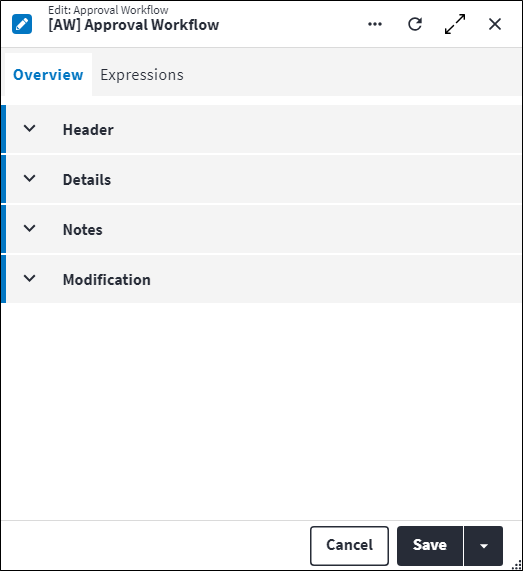
Overview
The Overview tab contains the following section(s):Header
- Code: A unique code for the approval workflow.
- Description: A short description of the approval workflow.
- Site: Site is specified per approval workflow to filter the expression matching on requisitions or requisition items. This is to ensure system performance is not impacted. If Site is not specified, this approval workflow will apply to all sites.
- Permission Tree: A field linked to a permission record in a permission tree, that determines whether a user has rights to access records and/or make changes to records. This is assigned by the system where possible.
- Sequence Number: The sequence in which the records are listed. Use the sequence number to list the records in a logical order.
- Is Active: Ticked if the record is active and available in lookup lists.
Details
- Approval Entity: The entity on which the approval workflow is being configured. Possible values are:
RequisitionRequisition Item.
- Expression Match Type: Determines which approval workflow expression should be used if multiple expressions match. Possible values are:
All: All matched expressions are used.Highest: The matched expression with the highest sequence number is selected.Lowest: The matched expression with the lowest sequence number is selected.
- Default Approval Role Strategy: The approval role strategy can either be
Count BasedorSequential.Count Based: Any of the specified approval roles can evaluate the approval in any sequence until the Required Approval Count is reached. For example if the approval has been allocated to 5 roles, but the Required Approval Count value is 2, then any 2 of the 5 roles can review the approval.Sequential: Designated approval roles need to approve in a fixed, predefined sequence. The approval is locked to approval roles until the preceding approval role in the approval matrix has reviewed the approval.
Here the default approval role strategy is set for this approval workflow.
Notes
Add additional details, comments or other relevant information.Modification
Displays details of when the record was created and last updated. This section is autopopulated and requires no user input.Approval Workflow Expressions
The Approval Workflow Expressions tab lists the expressions that have been linked to the approval workflow.
Click  in the toolbar to link an expression. Once linked, the expression and its associated details are listed in the grid on the entity's Expressions tab. The following information is displayed for linked expressions:
- Description: A short description for the approval workflow expression.
- Approval Role Strategy: The approval role strategy can either be
Count BasedorSequential.Count Based: Any of the specified approval roles can evaluate the approval in any sequence until the Required Approval Count is reached. For example if the approval has been allocated to 5 roles, but the Required Approval Count value is 2, then any 2 of the 5 roles can review the approval.Sequential: Designated approval roles need to approve in a fixed, predefined sequence. The approval is locked to approval roles until the preceding approval role in the approval matrix has reviewed the approval.
- Required Approval Count: The number of approval roles that need to review an approval with Approval Role Strategy value
Count Based. This is not applicable if the Approval Role Strategy value is notCount Based. The Required Approval Count value needs to be less than or equal to the number of approval roles specified. - Status: The status of the approval workflow expression. Possible values are:
Closed: If the expression is no longer in use, the user updates the Status value toClosed. Expressions with Status valueClosedare no longer evaluated by the system.Open: Once the expression has been built and tested, the user updates the Status value toOpen. Expressions with Status valueOpenare evaluated by the system.Under Development: Used while building the expression, assigning approval roles and testing. Expressions with Status set toUnder Developmentare not yet evaluated by the system. The following fields can be edited while the expression is in this status: Expression, Approval Role Strategy, Required Approval Count. The linked approval roles can also be edited while in this status.
Refer to Approval Workflow Expressions for more information.
Assist custom actions
The following custom actions are available in the Assist panel in the sidebar. Keep in mind that some of these custom actions are only available from the edit screen, while others are available from both the dashboard and edit screen.- Set Active / Set Inactive: Refer to Set Items to Active or Inactive.
- Add to Compare: Refer to Add Items for Comparison.
- Change Permission Tree: Refer to Change Permission Tree.
- Cross References: Refer to Perform Cross Reference.
- View Changelog: Refer to View Changelog.