Service Level Agreement Measure Field Assignment Screen
Data is captured on the following tab(s) of the edit screen: Overview. Below is a list of descriptions for the fields in the sections on each tab.
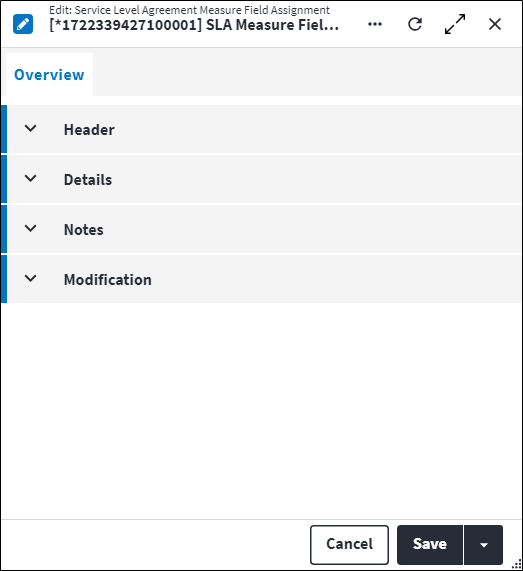
Overview
The Overview tab contains the following section(s):Header
- SLA Measure: The SLA measure for which the SLA measure field assignment needs to be configured.
- Code: A unique code for the SLA field assignment.
- Description: A short description of the SLA field assignment.
- Permission Tree: A field linked to a permission record in a permission tree, that determines whether a user has rights to access records and/or make changes to records. This is assigned by the system where possible.
- Sequence Number: The sequence in which the records are listed. Use the sequence number to list the records in a logical sequence.
- Is Active: Ticked if the record is active and available in lookup lists.
Details
- Target Field Type: The type of the field that needs to be assigned a value. Possible values are:
BooleanDateDateTimeString.
- Target Field: The field that needs to be updated, selected from a list of all work order fields with the selected Target Field Type, for example Start On field if the Target Field Type value is
DateTime.
The Required By field cannot be selected as target field if a main measure is present on the parent SLA, as the main measure will set the target field.
Target Field is not applicable if Target Field Type has not been specified. - Action When: When the field assignment should happen. Possible values are:
Measure Start: The specified field(s) are assigned when the SLA measure starts, ie when the work order Status is updated to the specified Work Order Start Status.Measure End: The specified field(s) are assigned when the SLA measure end, ie when the work order Status is updated to a status outside of the SLA measure status range.
- Value Source: The source of value that needs to be assigned to the Target Field. Possible values are:
Measure Start Date: Timestamp when the work order Status was set to the Work Order Start Status.Measure Start Plus Interval: Timestamp when the work order Status was set to the Work Order Start Status plus a fixed interval Value that is specified below. This does not take the Calendar specified on the SLA measure into account.Measure Expected Completion Date: The Expected Completion Date of the linked work order SLA.Static: A static value will be assigned to the specified Target Field when the work order Status is either set to the Work Order Start Status (if Action When is set toMeasure Start) or the Work Order End Status (if Action When is set toMeasure End).
Target Field Type Action When Value Source BooleanMeasure StartStaticMeasure EndStaticDateDateTimeMeasure StartMeasure Start DateMeasure Start Plus IntervalMeasure Expected Completion Date
StaticMeasure EndMeasure Start DateMeasure Start Plus IntervalMeasure Expected Completion Date
StaticStringMeasure StartStaticMeasure EndStatic - Value: If Value Source is set to
Measure Start Plus Interval, the interval duration needs to be specified here, for example0Day :24Hour :0Minute :0Second.
If Value Source is set toStatic, the field value needs to be specified here.
Value is not applicable if Value Type is set toMeasure Start DateorMeasure Expected Completion Date.
Notes
Add additional details, comments or other relevant information.Modification
Displays details of when the record was created and last updated. This section is autopopulated and requires no user input.Assist custom actions
The following custom actions are available in the Assist panel in the sidebar. Keep in mind that some of these custom actions are only available from the edit screen, while others are available from both the dashboard and edit screen.- Set Active / Set Inactive: Refer to Set Items to Active or Inactive.
- Add to Compare: Refer to Add Items for Comparison.
- Change Permission Tree: Refer to Change Item's Permission Tree.
- View Changelog: Refer to View Changelog.