Service Level Agreement Measure Trigger Screen
Data is captured on the following tab(s) of the edit screen: Overview and Notification Events. Below is a list of descriptions for the fields in the sections on each tab.
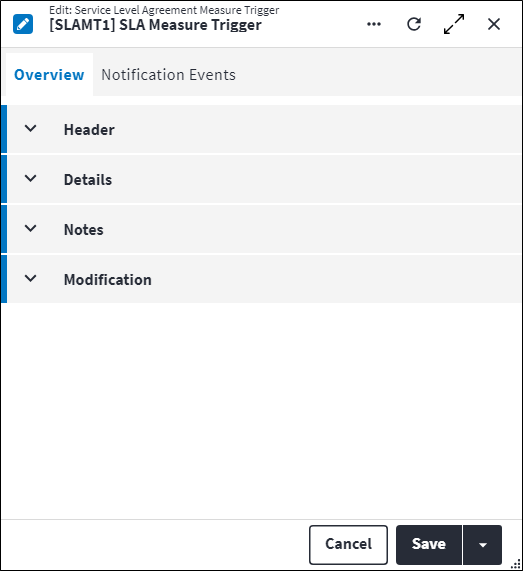
Overview
The Overview tab contains the following section(s):Header
- SLA Measure: The SLA measure for which an SLA measure trigger needs to be configured.
- Code: A unique code for the SLA measure trigger.
- Description: A short description of the SLA measure trigger.
- Permission Tree: A field linked to a permission record in a permission tree, that determines whether a user has rights to access records and/or make changes to records. This is assigned by the system where possible.
- Sequence Number: The sequence in which the records are listed. Use the sequence number to list the records in a logical sequence.
- Is Active: Ticked if the record is active and available in lookup lists.
Details
- Percentage: The percentage of the allowed SLA measure Duration at which this trigger will be actioned while the SLA measure is in status range.
The SLA measure and percentage combination has to be unique. If multiple notifications are required on a specific percentage, multiple SLA measure trigger notification events can be configured.
Refer to Service Level Agreement Measure Screen for more information on configuring the Work Order Start Status, Work Order End Status and Duration. - Repeat Notification: The interval (
day:hour:minute:second) at which notifications will be sent for this trigger while the SLA measure is in status range. For example the notification will be sent every 1 hour (00:01:00:00) while the work order is in status range. Repeat Notification is not a required field - Repeat Notification Limit: The maximum number of notifications that will be sent for this trigger while the SLA measure is in status range. For example the notification will be sent every 1 hour while the work order is in status range, up to
10times. Repeat Notification Limit needs to be larger than 1 and is only applicable if Repeat Notification is specified. - Change Data Trigger: A system generated change data trigger and linked changed data trigger criteria is created as a side effect of creating an SLA measure trigger. The system change data trigger Entity Type is set to
Work Order SLA Measureand cannot be edited. Any edits to the trigger needs to be made on the service level agreement measure trigger record, not on the change data trigger record.
Notes
Add additional details, comments or other relevant information.Modification
Displays details of when the record was created and last updated. This section is autopopulated and requires no user input.Service Level Agreement Measure Trigger Notification Events
SLA measure trigger notification events are configured using the same functionality as change data trigger notification events.
Notification events are notifications or messages that are generated by On Key and sent to specified recipients when a trigger is activated. If all the expressions on the trigger criteria pass, then the trigger is activated and its associated notification is sent. The information included in the notification is defined using a notification template.Notifications are sent in email format and can include a hyperlink to the entity in On Key.
Click  in the toolbar to create a notification event. Once created, the notification event and its associated details is listed in the grid on the Notification Events tab. The following information is displayed:
- Notification Template Code and Notification Template Description: The notification template that is used to populate the notification.
- Ignore Template Audience: If this is set to true, then the Audience identified on the notification template is ignored and replaced with the Audience specified on this change data trigger notification event.
- Audience: Additional recipients for the notification can be added here. This Audience will receive the notification, together with the Audience identified on the notification template. This is required if Ignore Template Audience is set to true. The input should be consistent with the specified notification template Output Type, for example if the Output Type value is set to
Email, the Audience field should contain email addresses. - Is Active: Ticked if the record is active and available in lookup lists.
Refer to Change Data Trigger Notification Events for more information.
Assist custom actions
The following custom actions are available in the Assist panel in the sidebar. Keep in mind that some of these custom actions are only available from the edit screen, while others are available from both the dashboard and edit screen.- Set Active / Set Inactive: Refer to Set Items to Active or Inactive.
- Add to Compare: Refer to Add Items for Comparison.
- Change Permission Tree: Refer to Change Item's Permission Tree.
- View Changelog: Refer to View Changelog.