Work Order Service Level Agreement Screen
Data is displayed on the following tabs of the preview screen: Overview. Below is a list of descriptions for the fields in the sections on each tab.
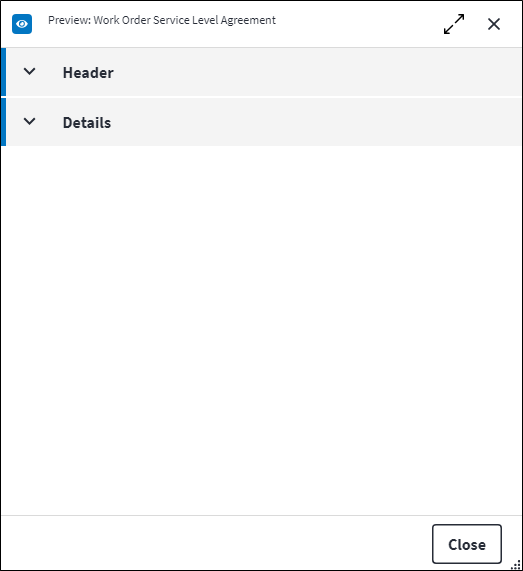
Overview
The Overview tab contains the following section(s):Header
- Work Order: The relevant work order.
- SLA: The SLA that is linked to the specified work order. The SLA cannot be a template SLA if it is linked to a work order, so the Is Template value of the SLA needs to be false.
- Is Historical: Indicates whether this SLA still applies to this work order. It is possible for the characteristics of a work order to change in such a way that the SLA no longer applies, for example when the work order Type of Work value changes.
If the work order changes for a second time to match the original SLA again, the historical SLA is reactivated. This is dependant on the SLA Measure from Assignment configuration.
Details
- Assignment Date: The date when this SLA was assigned to this work order for the first time.
- Origin: Indicates what initiated the assignment of this SLA to this work order. Possible values are:
Work Order Create: The work order met the SLA Match Criteria at the time of work order creation.Work Order Reassign: The Force SLA Reassignment custom action was used to reassign the SLA to the work order.Work Order Status Change: The work order went into status range due to the work order Status being updated.Work Order Update: The work order met the SLA Match Criteria after an update to the work order master data.- Main Measure Percentage: The Duration Used Percentage value if Is Main Measure is set to true on one of the linked SLA measures. If the SLA does not have a linked main SLA measure, Main Measure Percentage will be null.
- Calculate from Assignment: If Measure from Assigned Date is set to true on the SLA, Calculate from Assignment will be true the second or more time the SLA is assigned to the work order.
Refer to Work Order Service Level Agreements for a practical example.
Refer to Service Level Agreement Screen and Work Order Service Level Agreement Measure Screen for more information.
Work Order Service Level Agreement Measures
An SLA measure is the duration measurement between the work order status that signifies the start of the SLA and the work order status that signifies the end of the SLA.SLA measures are linked to work order SLAs. Click  in the toolbar to link a work order SLA measure. Once linked, the SLA measure and its associated details is listed in the grid on the Measures tab. The following information is displayed:
- SLA Measure Code and SLA Measure Description: The linked SLA measure.
- In Status Range: Indicates whether the SLA measure is currently in status range. This means that the work order Status value is within the specified Work Order Start Status and Work Order End Status (including both statuses). If the SLA measure is out of status range, the work order is in a status that is not related to the SLA measure. Only if In Status Range is true will triggers be activated for this work order SLA measure.
- Start Date: The first time the work order went into this status range, ie when the work order Status value first equalled the Work Order Start Status.
If the SLA was assigned to the work order after the work order went out of the Work Order End Status, the Start Date will be null as the SLA was not assigned to the work order at the time. - Completion Date: The date and time the work order exited the status range.
If the SLA was assigned to the work order after the work order went out of status range, the Completion Date will be null as the SLA was not assigned to the work order at the time. - Expected Completion Date: The estimated date on which the SLA measure should be completed based on the Duration and Calendar specified on the SLA measure.
- Duration Used: Indicates how much time elapsed from the moment the work order entered the Work Order Start Status until it excited the Work Order End Status, based on the Calendar configured.
- Duration Used Percentage: The work order SLA measure Duration Used value as a percentage of the SLA measure Duration value.
- Measure Reset Date: The date and time the work order re-entered the Work Order Start Status after being out of status range if Resettable Measure is set to true or Reset Measurement on Reassign Date is set to true on the SLA.
- Last Calculated On: The date and time the work order SLA measure was calculated. This gives an indication when the Force SLA Progress Calculation custom action needs be used.
Refer to Service Level Agreement Measures Screen for more information.
Assist custom actions
The following custom actions are available in the Assist panel in the sidebar. Keep in mind that some of these custom actions are only available from the edit screen, while others are available from both the dashboard and edit screen.- Cross References: Refer to Perform Cross Reference.
- Add to Compare: Refer to Add Items for Comparison.