On Key Assist
The On Key Assist displays context-sensitive actions, related to where you are in On Key. It enables you to conveniently access features that are associated with a specific entity.
This context-sensitive menu displays actions based not only on the entity, but also on the view you are busy with. The user might be presented with different actions navigating to a dashboard to open the Assist panel versus when a record's edit screen is opened to access the Assist panel.
Types of actions
The Assist panel contains custom actions specific to the entity at hand, as well as general actions that are available across numerous entities. Some of the actions that can be performed from the Assist panel are:
- Accept Development in Asset Type Tree
- Accept Development in Asset Tree
- Add Follow Up Work Orders
- Add Items for Comparison
- Calculate Permissions for Users
- Capture Work Order Feedback
- Change Permission Tree
- Close a Financial Period
- Complete All Tasks on Work Orders
- Create Work Order From Work Request
- Delete Proposed Work Order Batches
- Generate Proposed Work Orders
- Generate Work Orders From Proposed Work Orders
- Set and Link Placeholder Asset Components
- Set and Link Placeholder Asset Type Components
- Manual Meter Resets
- Perform Cross Reference
- Perform Bulk Update
- Print Work Orders
- Reject Development in the Asset Type Tree
- Reject Development in the Asset Tree
- Set an Asset Type Tree Item to Active or Inactive
- Set Asset Tree Item to Active or Inactive
- Set Items to Active or Inactive
- Set Warehouse on Regular Asset Task Spares
- Set Warehouse on Auxiliary Asset Task Spares
- View Changelog
My background tasks
The My Background Task widget provides users with a visual summary of their running background tasks. The background task widget is found in the Assist panel in the sidebar.
Refer to Background Tasks for more information.
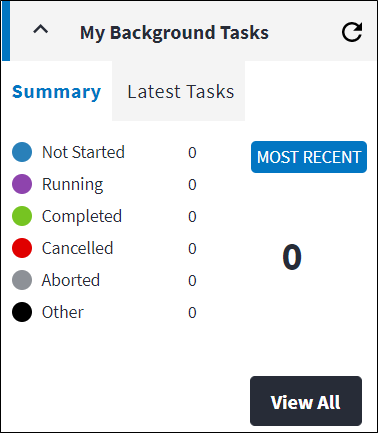
To view more details about the tasks, click on the task to display the My Background Tasks screen.
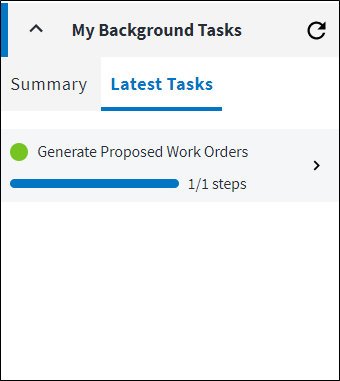
Summary
The Summary tab displays a brief compilation of the background tasks in their current state within the last 24 hours.
Latest tasks
The Latest Tasks tab displays a list of the latest tasks.
Recursive dashboard Assist options
A recursive dashboard is opened from a node in the asset tree or asset type tree. It enables the user to view all the related entities from a specific point in the tree, down.
Recursive dashboards can contain multiple entity types, whereas a normal dashboard (which is accessed from the main menu) only contains information for a single type of entity. For that reason, when the Assist panel is accessed from a recursive dashboard, a record in the grid needs to selected in order for the relevant actions to be populated in the Assist panel in the sidebar.
Refer to Recursive Dashboard for more information.